If you are typing a prompt straight into a flagship video model and hitting render, you are paying premium prices to find out whether your camera move works. It usually does not, not on the first try, and the second and third attempts cost exactly as much as the first.
Professional crews solved this problem decades ago with previsualization: block the shot cheaply, approve it, and only then put the expensive camera on it. The same logic applies to generative video, and the savings are larger — the gap between the cheapest and the most expensive video model on the Qtum Router is about nineteen times per second of footage.
Here is the pipeline, and then the app that runs the whole thing in one window.
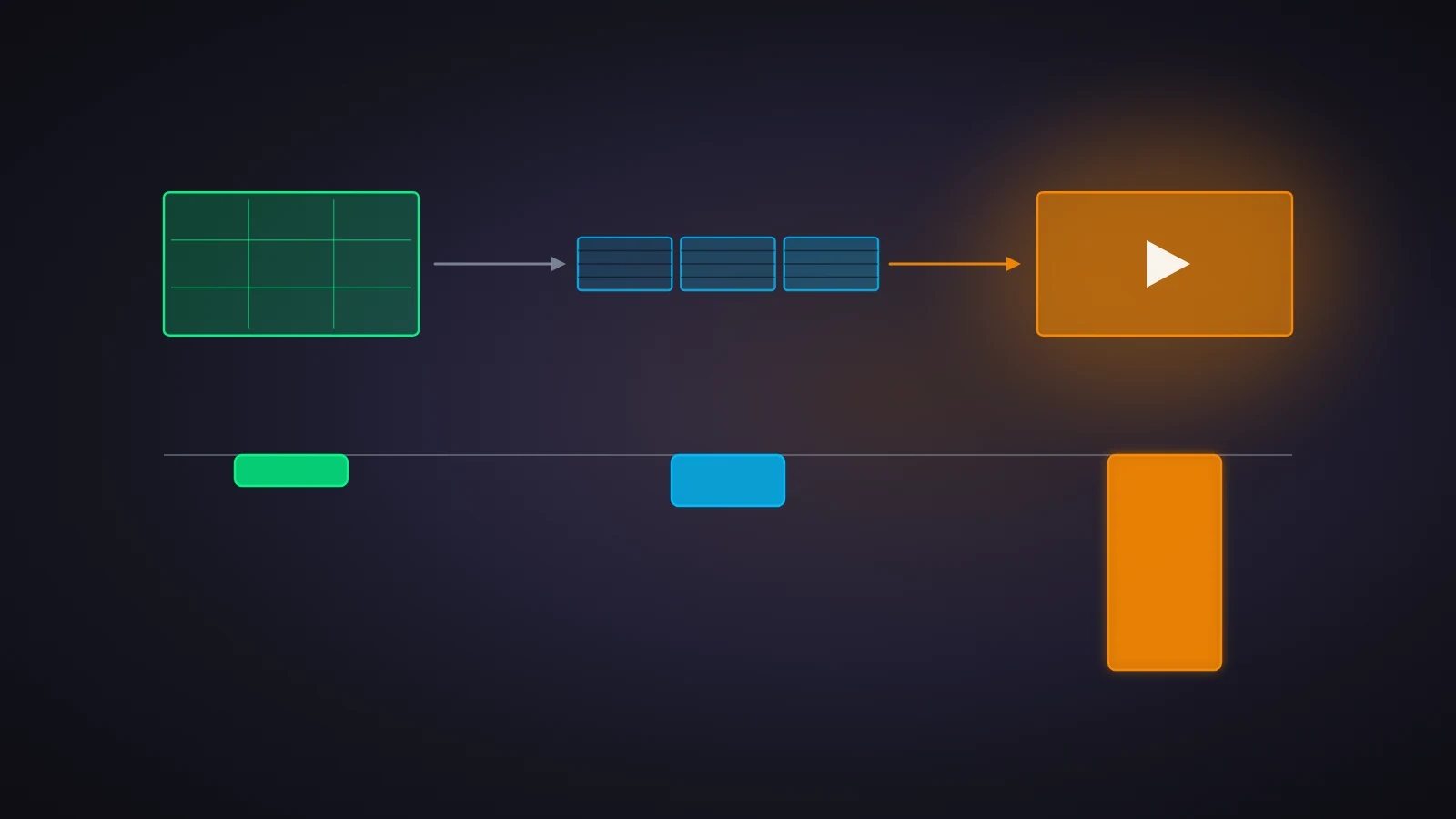
The previz workflow, in three steps
1. Lock the look on stills. Use a fast image model — Qwen Image 3.0, Seedream 5.0, GPT Image 2 — to settle your characters, lighting and palette. A still costs about three cents. You can iterate thirty times on a character design for less than one second of flagship video.
2. Test the motion cheap. Take the approved still into a low-cost video model at 480p and check one thing: does the camera do what you asked? Wan 3.0 at 480p is roughly 3.5 cents per second. Iterate until the movement and the pacing are right.
3. Render once, expensively. Now feed that same approved still into the flagship model as an image-to-video job. The composition is already decided, the move is already proven, and you pay the premium rate exactly once.
What that costs, at current Router prices — 1,000 credits is $1:
| Step | Model | Price | Ten seconds |
|---|---|---|---|
| Style lock | Qwen Image 3.0 | 29.7 credits / image | — |
| Style lock | Doubao Seedream 5.0 | 38.8 credits / image | — |
| Motion test | Doubao Seedance 2.0 Mini · 480p | 20 credits / s | 200 credits · $0.20 |
| Motion test | Wan 3.0 Video · 480p | 34.7 credits / s | 347 credits · $0.35 |
| Final render | Doubao Seedance 2.0 · 1080p | 441 credits / s | 4,410 credits · $4.41 |
| Final render | Doubao Seedance 2.5 · 1080p | 666 credits / s | 6,660 credits · $6.66 |
Put a real project through both routes. A 30-second teaser, three clips, twenty shots:
- Straight to the flagship. Three attempts at 30 seconds on Seedance 2.5 at 1080p: 59,940 credits, $59.94.
- Previz first. Twenty reference stills on Qwen Image 3.0 (594 credits), three motion passes at 30 seconds on Wan 3.0 480p (3,119 credits), then one final pass on Seedance 2.5 at 1080p (19,980 credits): 23,693 credits, $23.69.
Same finished clip, 60% less spend — and the previz route is the one where you saw the motion before you paid for it.
Dreamzo runs this pipeline in one app
The workflow is only cheap if switching models is cheap. If step two means opening a different website, re-uploading your reference image and re-typing your prompt, nobody does step two.
Dreamzo is a local-first client built around exactly this loop. Every vendor — LLMs, image generators, video engines — is a toggle in one list, so moving a shot from a draft model to a flagship one is a dropdown, not a migration.
Talk the script into shape
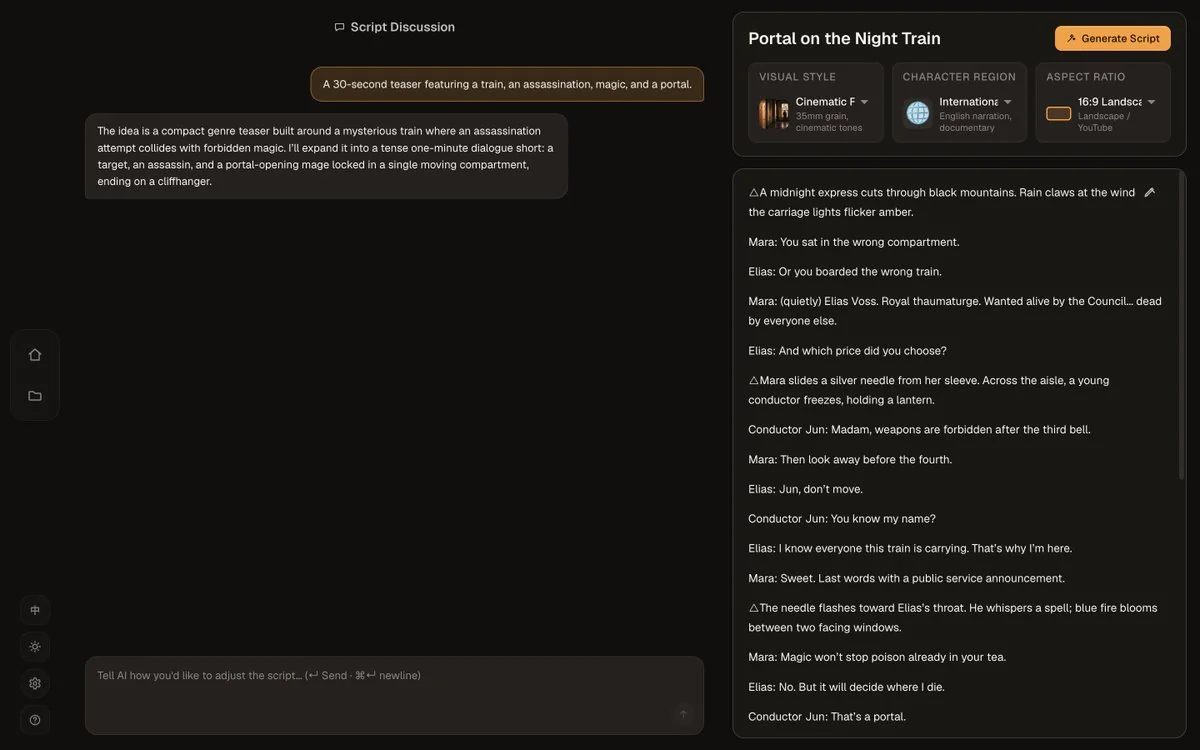
Dreamzo starts from a premise, not a prompt. "A 30-second teaser featuring a train, an assassination, magic, and a portal" expands into a full dialogue script with a visual style, a character region and an aspect ratio attached — and you refine it by talking to it, the way you would with any chat model.
Approve the cast before you render anything
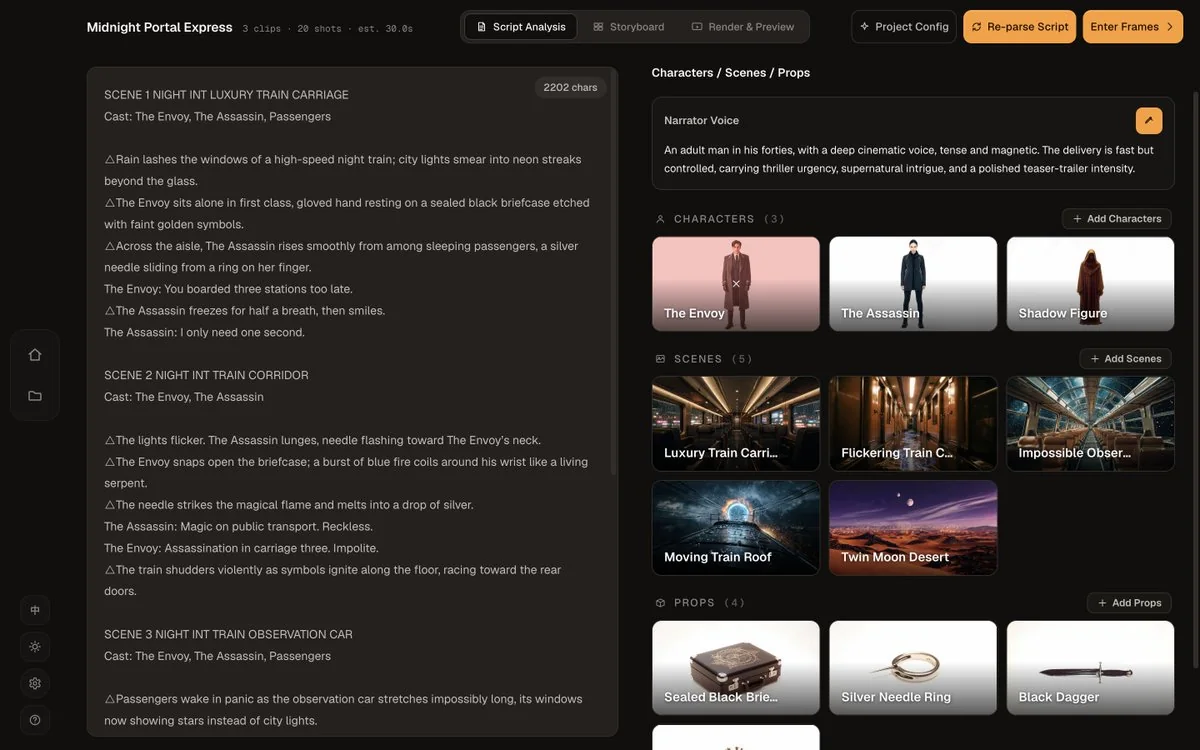
This is step one of the previz workflow, built into the app. Dreamzo pulls the characters, scenes and props out of the script and generates each one as an image — plus a narrator voice — for you to approve or regenerate. Lock them here and every shot downstream inherits them, which is what keeps a character's face consistent across twenty shots.
Direct each shot
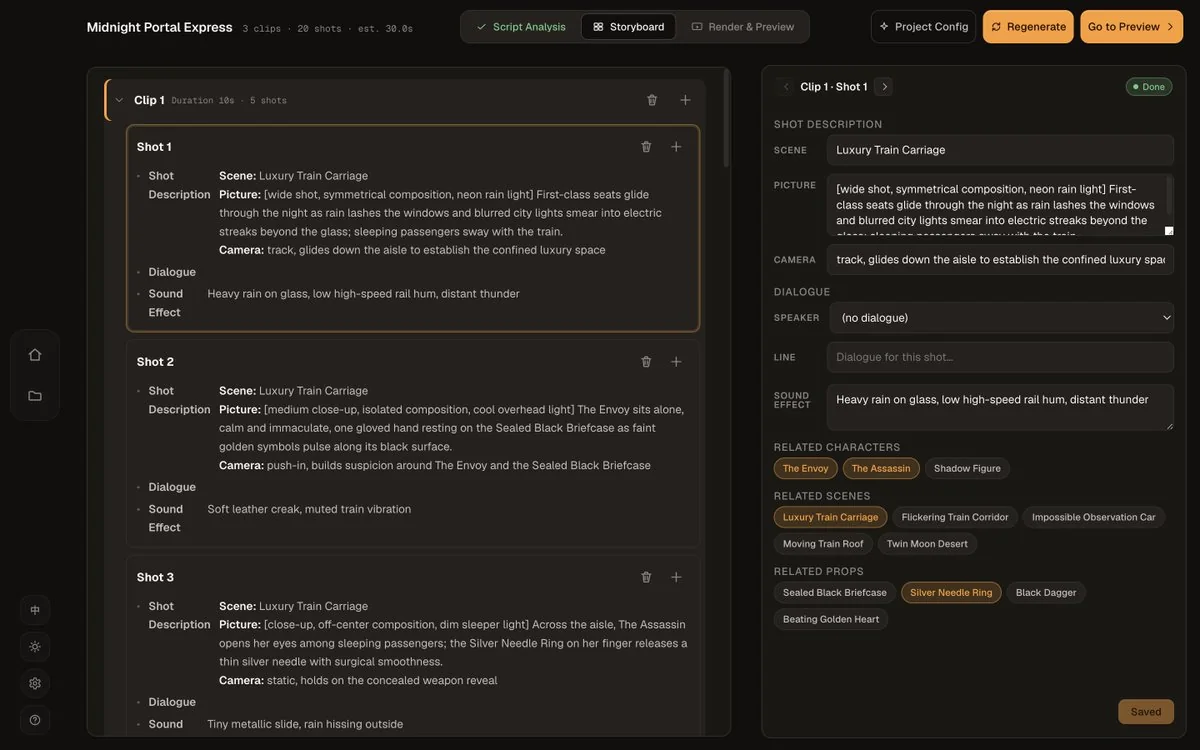
Each shot carries its own picture description, camera move, dialogue line and sound effect, and you can cut, split or rewrite any of them. Characters can be added to or removed from a shot, and you can jump back to the script page to regenerate a face or a voice without losing the rest.
Switch models in two clicks
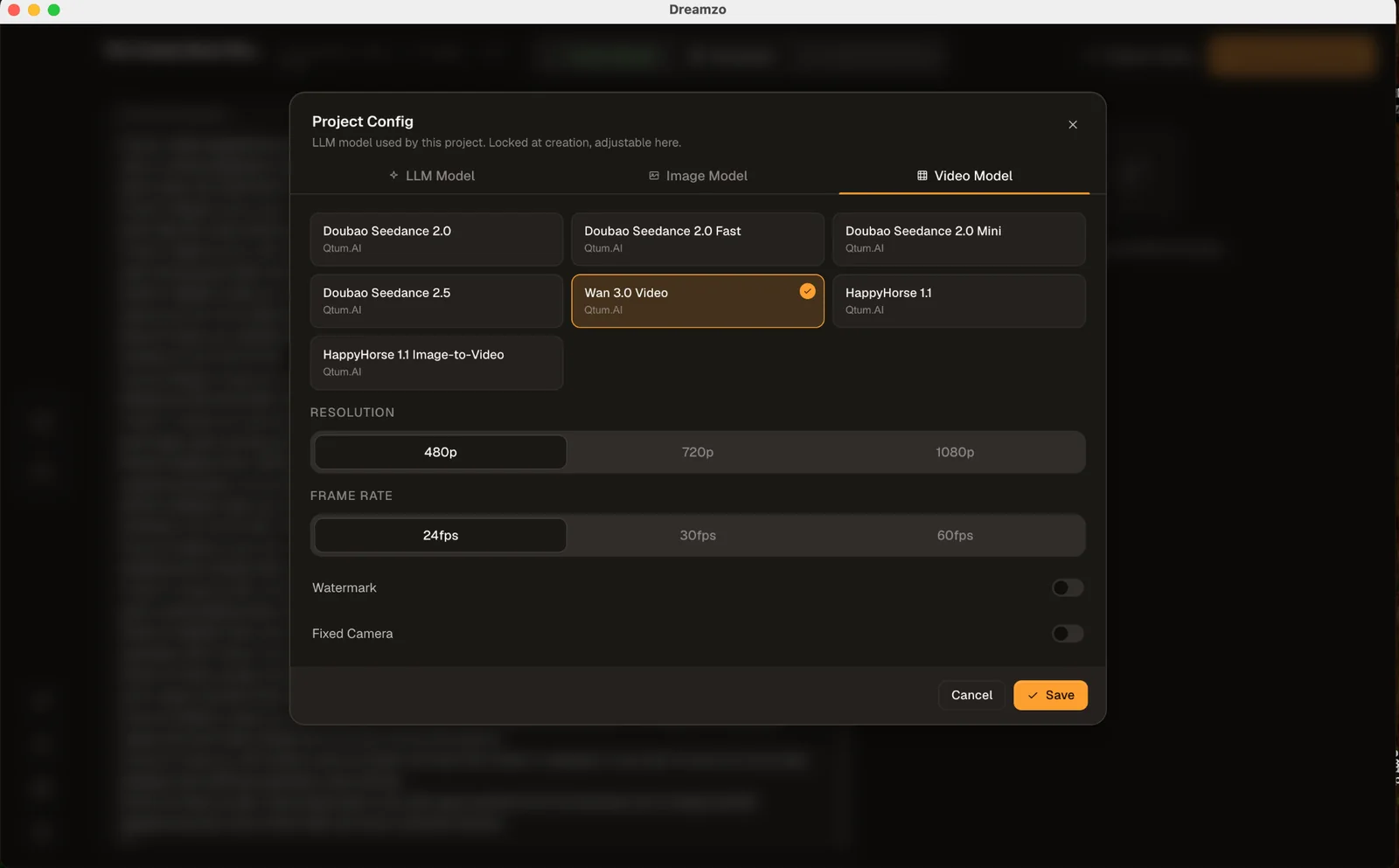
This is the part that makes the savings real. The LLM, the image model and the video model are three tabs in one Project Config dialog, with resolution and frame rate beside them. Draft at Wan 3.0 480p, review, switch to Seedance 2.5 at 1080p, render once.
Render, review, re-render
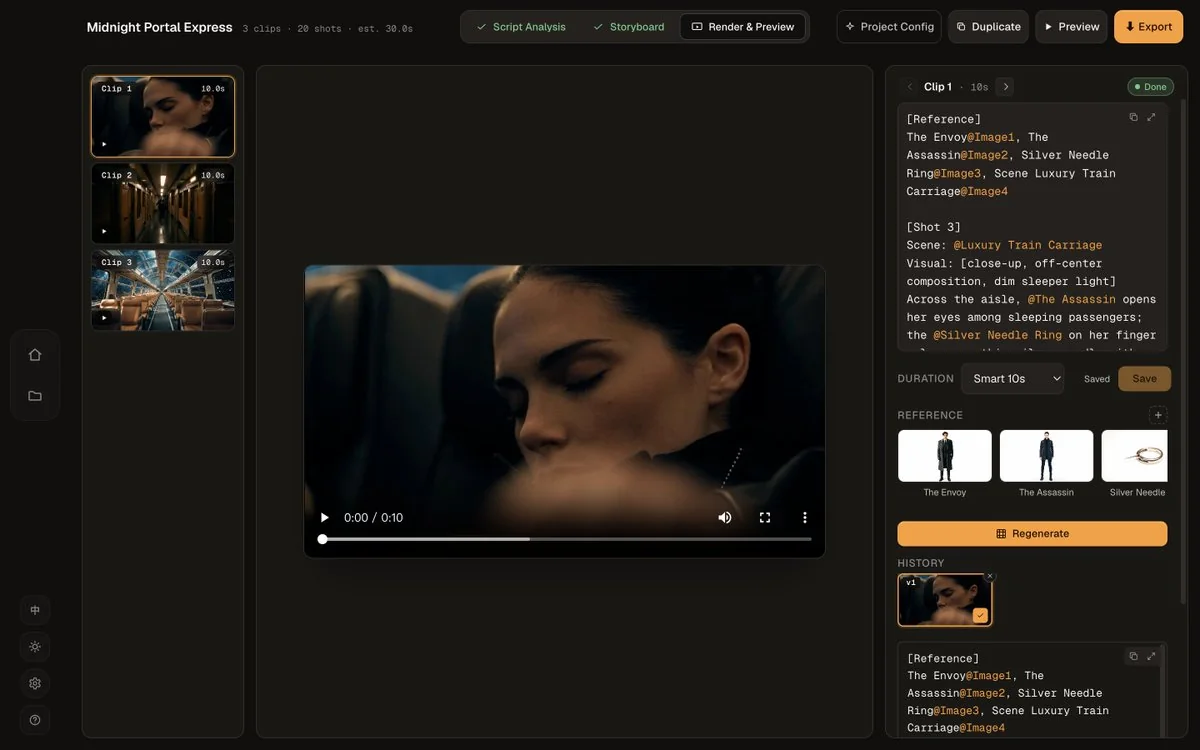
Every clip keeps its version history, so a cheap pass and the flagship pass sit side by side and you can compare them before you commit. The reference images stay attached to the shot, which is what makes the final image-to-video render match the look you approved in step one.
Try it
Download Dreamzo for macOS or Windows, point it at a Qtum AI key, and every model in the table above is already in the list — one balance, no per-vendor accounts.
If you want the pricing in full before you start, what an AI video actually costs works through all ten video models. And if your motion tests are coming back wrong, the problem is usually the prompt rather than the model — how to write an AI video prompt that actually directs the camera covers that.
Work smarter, create faster, and protect your budget.